Jan 17, 2026 · Updated on Feb 13, 2026
The best Safari extension: uBlock Origin Lite
Let's get rid of YouTube Shorts!
Update
If you use this every day (god I hate to say that), you may have noticed that, each time the UBOL updates, its functions stop working, even if you restart Safari completely. In order to solve this problem, you need to complete the following steps.
Firstly, according to the official update logs, you need to wait a few seconds before it is fully ready. The more rules you set, the longer you will need to wait for them to take effect. I usually wait for around 10 seconds to 1 minute after opening a new YouTube page, depending which device I’m using.
Secondly, if you feel you have waited long enough after opening a YouTube page, find the extension icon in the Safari Toolbar. Click it and change the filtering mode from the default ‘Optimal’ to ‘Complete’ (or any other option).
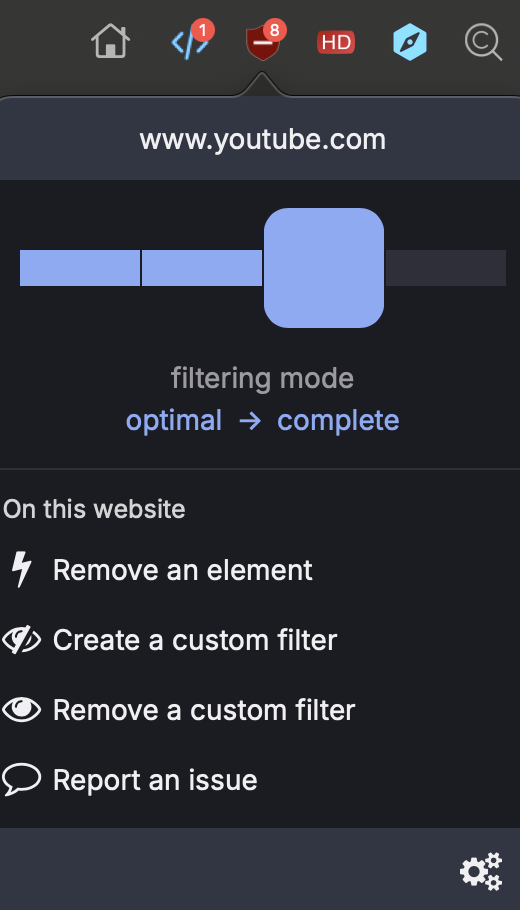
Then change it back to ‘Optimal’. The webpage will refresh automatically and the ads and shorts will have disappeared!
The uBlock Origin Lite was released on the App Store in August last year. Although it’s the ‘Lite’ version, which is not as powerful as the original, it’s still one of the best things to happen in the last year, especially for users who sometimes have to use Safari as their browser, like me.
The best options are still to use Firefox with the user.js file for hardening or the more user-friendly Brave browser. However, Safari sometimes has its own advantages, such as the battery saver. To be honest, “thanks” to its system-native status, it conserves battery power far more effectively than other third-party browsers. However, this remains its sole redeeming feature. In terms of web compatibility, privacy, and extensibility, Safari undoubtedly ranks at the bottom.
Until the arrival of uBlock Origin Lite.
Those familiar with it will have long heard its reputation, while if you’re encountering it for the first time, all you need to know for now is that it can magically eliminate all manner of irritating adverts and pop-ups, including but not limited to YouTube, X (yes, you won’t need to pay a penny for a subscription!), and numerous other websites.
Moreover, if you couldn’t care less about short videos but find yourself constantly bombarded by sites like YouTube, which seem determined to use every trick in the book to push short-form content on you, then uBlock Origin Lite is absolutely the solution for you.
Here is how this magic is achieved
First, download and install it from the App Store.
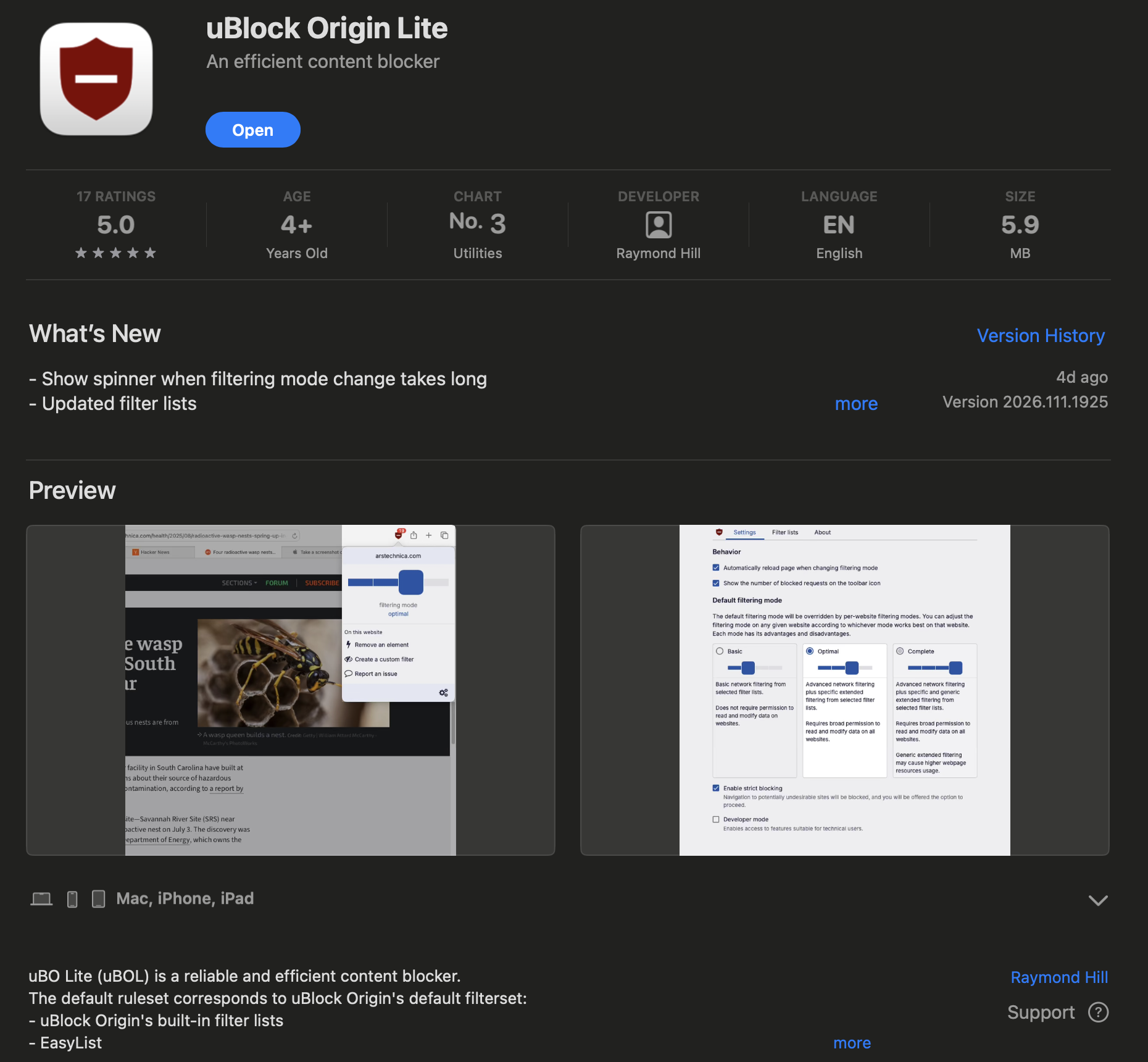
Then enable it, open the dashboard and select the native filter lists. Don’t forget to select your regions and languages using the filter at the bottom of the page.
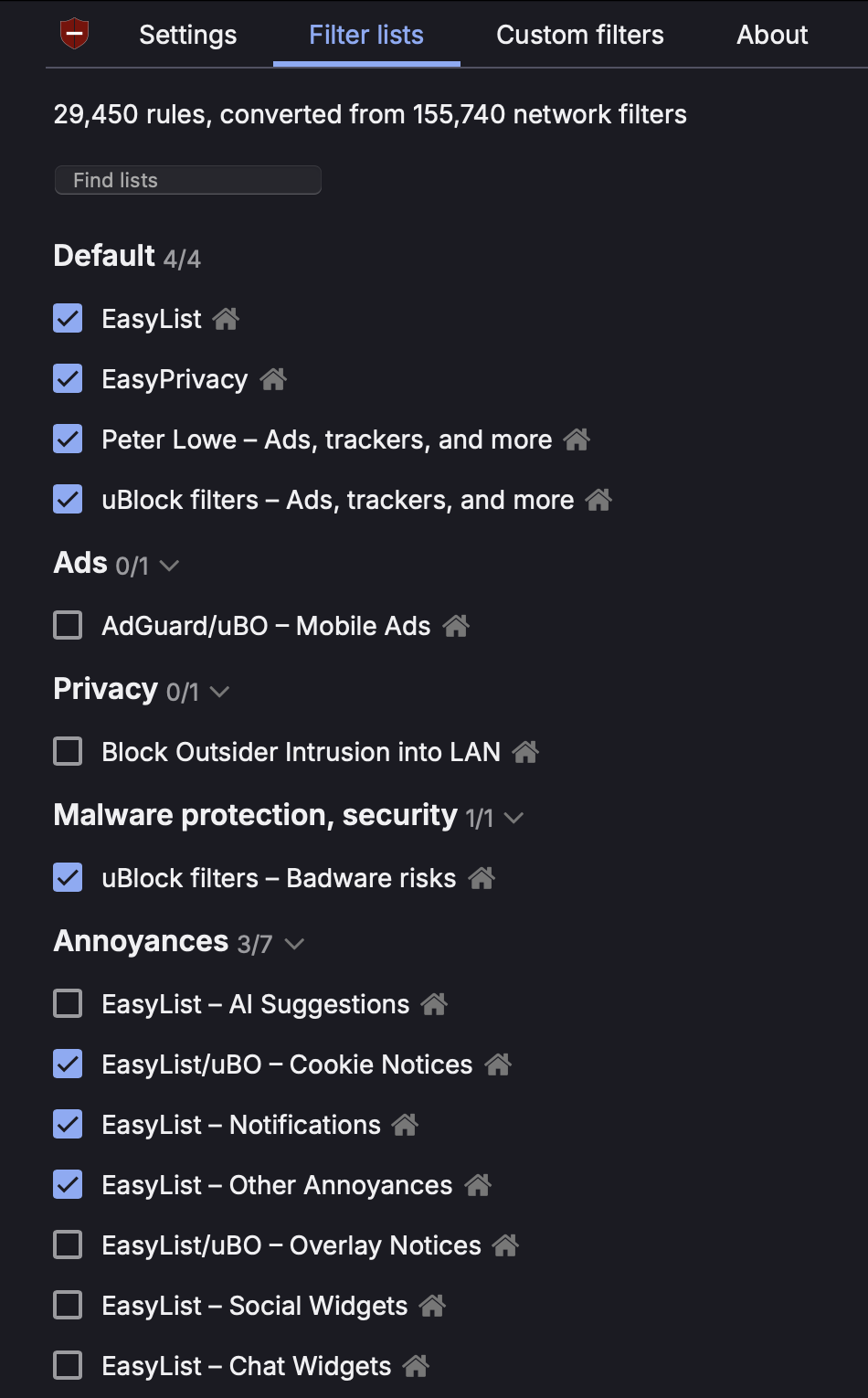
Now for the important part
Copy these rules by click the copy button below:
! YT - Homepage and Subscriptions (Grid View) - Hide the Shorts section
youtube.com##[is-shorts]
! YT - Menu - Hide the Shorts button
www.youtube.com###guide [title="Shorts"], .ytd-mini-guide-entry-renderer[title="Shorts"]
! YT - Search - Hide Shorts
www.youtube.com##ytd-search ytd-video-renderer:has([overlay-style="SHORTS"],[href^="/shorts/"])
! YT - Search, Channels, Subscriptions (List View) and Sidebar/Below Player Recommendations - Hide the Shorts sections
www.youtube.com##ytd-reel-shelf-renderer
! YT - Channels - Hide the Shorts tab
www.youtube.com##[tab-title="Shorts"]
! YT - Subscriptions - Hide Shorts - Grid View
www.youtube.com##ytd-browse[page-subtype="subscriptions"] ytd-grid-video-renderer:has([overlay-style="SHORTS"],[href^="/shorts/"])
! YT - Subscriptions - Hide Shorts - List View
www.youtube.com##ytd-browse[page-subtype="subscriptions"] ytd-video-renderer:has([overlay-style="SHORTS"],[href^="/shorts/"])
! YT - Subscriptions - New Layout - Hide Shorts
www.youtube.com##ytd-browse[page-subtype="subscriptions"] ytd-rich-item-renderer:has([overlay-style="SHORTS"],[href^="/shorts/"])
! YT - Sidebar - Hide Shorts
www.youtube.com###related :is(ytd-compact-video-renderer,yt-lockup-view-model):has([overlay-style="SHORTS"],[href^="/shorts/"])
! YT - History - Hide Shorts
www.youtube.com##ytd-item-section-renderer[page-subtype]:has(>#contents>[is-history]>#dismissible>ytd-thumbnail>#thumbnail[href^="/shorts/"])

! YT Mobile - Hide the Shorts Menu button
m.youtube.com##ytm-pivot-bar-item-renderer:has(>.pivot-shorts)
! YT Mobile - Hide the Shorts sections
m.youtube.com##ytm-reel-shelf-renderer
m.youtube.com##ytm-rich-section-renderer:has([d^="M17.77,10.32l-1.2"])
! YT Mobile - Search - Hide Shorts
m.youtube.com##ytm-search ytm-video-with-context-renderer:has([data-style="SHORTS"])
! YT Mobile - Channels - Hide the Shorts button
m.youtube.com##[tab-title="Shorts"]
! YT Mobile - History - Hide Shorts
m.youtube.com##[tab-identifier="FEhistory"] ytm-compact-video-renderer:has(>div>a[href^="/shorts/"])

! YT Search - keep only videos (no shorts)
youtube.com##ytd-search ytd-item-section-renderer>#contents>:is(:not(ytd-video-renderer,yt-showing-results-for-renderer,[icon-name="promo-full-height:EMPTY_SEARCH"]),ytd-video-renderer:has([aria-label="Shorts"])),ytd-secondary-search-container-renderer

! YT Search - keep only videos (no shorts) and channels
youtube.com##ytd-search ytd-item-section-renderer>#contents>:is(:not(ytd-video-renderer,ytd-channel-renderer,yt-showing-results-for-renderer,[icon-name="promo-full-height:EMPTY_SEARCH"]),ytd-video-renderer:has([aria-label="Shorts"])),ytd-secondary-search-container-renderer

! YT Search - keep only videos (no shorts), channels and playlists
youtube.com##ytd-search ytd-item-section-renderer>#contents>:is(:not(ytd-video-renderer,ytd-channel-renderer,ytd-playlist-renderer,yt-lockup-view-model,yt-showing-results-for-renderer,[icon-name="promo-full-height:EMPTY_SEARCH"]),ytd-video-renderer:has([aria-label="Shorts"])),ytd-secondary-search-container-renderer
These rules may change from time to time, so it’s a good idea to check the official wiki page for the latest updates.
Then, in the dashboard, go to Custom filters > Import / Export, paste what you just copied and click ✓Add button. It should look similar to this:
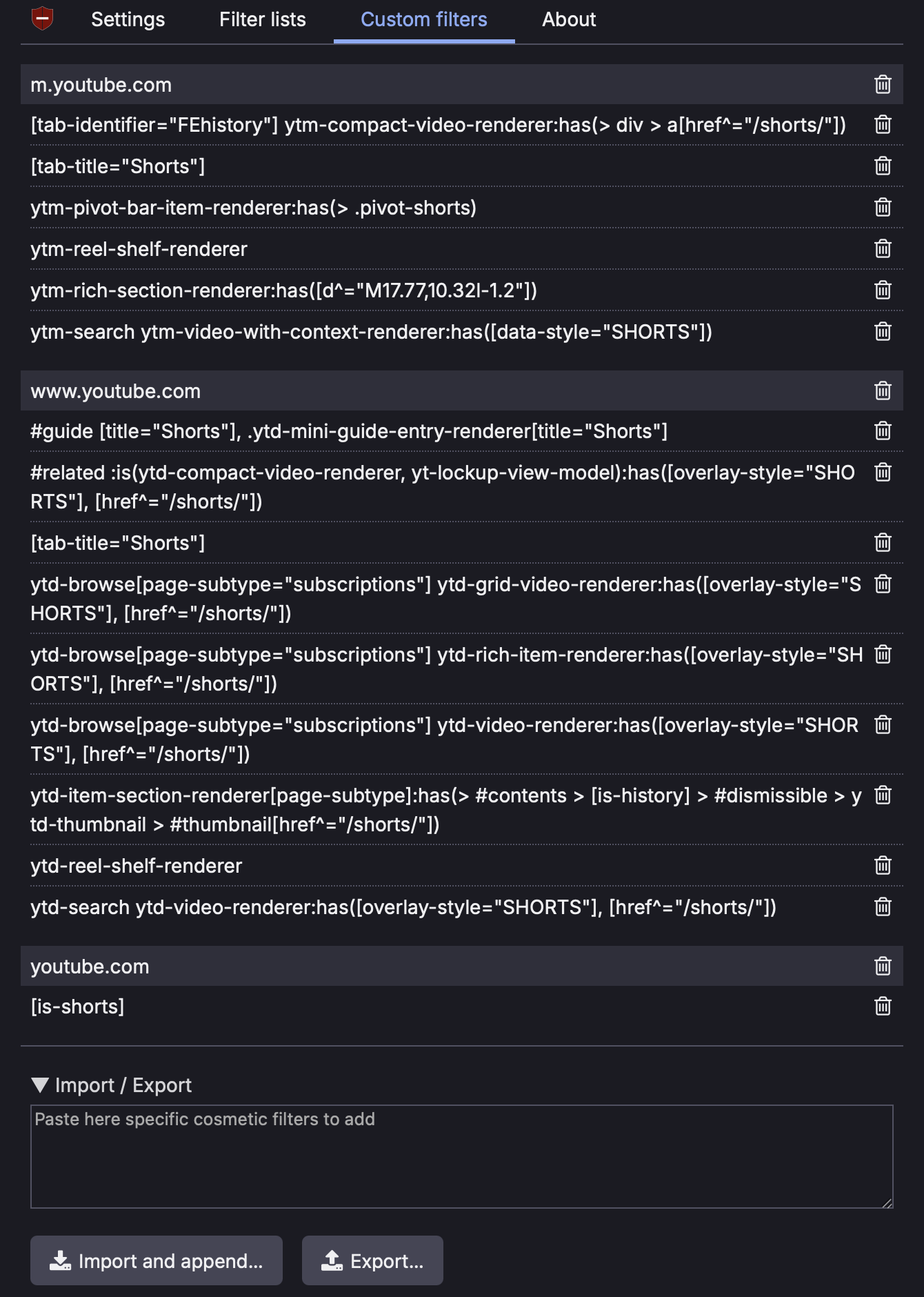
Then you need to quit Safari completely by pressing cmd + Q. This is essential.
Now reopen Safari, open YouTube, and savour your triumph! Those pesky adverts and short video pushes have vanished both in homepage and in search results!
Keep it in mind, this is rather like a game of cat and mouse, so perhaps one day this extension may cease to function (but it is not this day! This day we fight!). Should you wish to contribute, when encountering usage issues, you may visit this GitHub issue to help the developers identify the problem more quickly.