Apr 25, 2026· Updated on Jul 24, 2026
Everyone should start using a VPN or Proxy
Protect your digital privacy by using VPNs and obfuscated proxies to stop ISPs and governments from tracking your internet traffic.
If you have watched this video, you might start worrying about how to stop your ISP from finding out more about you than your mum does. Even with ECH to secure the SNI (you can test it on this Cloudflare website), you still can’t prevent ISPs or Wi-Fi owners from recording your internet traffic. Not to mention that some internet services are still only supporting HTTP traffic until 2026 (This is pure criminality).
So, what’s the big deal? Someone might ask. Well, it’s not a big deal as long as you don’t mind your personal interests being “accidentally” sold to ads companies, or your personal information being hacked using data obtained through government mass surveillance, just like what happened in France recently. I could talk for hours about the dangers of leaking your internet traffic to ISPs or the government, which could end up in the hands of criminals. However, that is not the purpose of this blog. Here, I want to introduce how to protect yourself from internet tracking using a VPN, and a self-hosted proxy with obfuscation capabilities.
For most non-tech users, the easiest way to use a VPN is to purchase the service from a commercial company. If you are not familiar with VPN, I strongly recommend reading this article, which explains it from scratch and clarifies a lot of misunderstandings such as using a VPN alone does not provide anonymity, and it’s also fun to read.
However, using a VPN means that you are placing your trust in the hands of VPN companies rather than ISPs or the government, which could also be dangerous if the company does not have a good reputation or reliable technology. So, choosing a VPN provider is the only thing the average user needs to consider.
When choosing a VPN provider, there are several points the user needs to consider. In today’s increasingly mature VPN market, almost all major providers use similar technologies—such as WireGuard or OpenVPN. These are tried-and-tested, reliable encryption technologies that are perfectly adequate for general use. When there is little difference in technical ability, from my personal experience, the most important thing is to never use a free one, whether they claim to be supporting digital human rights or have a grand vision for the future of the company. Nerver, ever use a VPN for free, otherwise, your worth will be measured in a different way. Just like Mullvad said in its official FAQ:
“Free” services nearly always come at some cost, whether that be the time you spend watching an intro ad, the collection of your data, or by limiting the functionality of the service.
Another key consideration is reputation and whether the company has withstood scrutiny by the judicial system. A good reputation means that the company has experience in dealing with hackers who try to exploit vulnerabilities in its systems to access customers’ personal data, and undergoes regular audits by third-party organisations. Having withstood scrutiny by the judicial authorities is another excellent “badge of honour”, signifying that even state-level measures were unable to extract any meaningful user information. If you search for related news using a search engine or AI, you will find that there are not many companies with this kind of “badge of honour”.
Up to this point, the VPN has appeared to be unrivalled. But hang on a sec, the VPN also has its limitations, particularly when it comes to targeted measures — for instance, the firewall. Because VPN traffic is so easily identifiable, a network administrator can easily block any connection encrypted via a VPN if they so wish. The Chinese, Iranians and Russians know this all too well. However, apart from them, even those living in the free Western world face the same predicament. If you have used a public Wi-Fi network in a place like a college or coffee shop, you may have noticed that some VPN services are unable to connect in such environments. That’s probably because the Wi-Fi provider is blocking specific traffic protocols or common VPN ports. This situation is usually even more frustrating – not only does it mean that your internet service provider can monitor everything you do, but they can also block access to websites, IP addresses or even network ports that they don’t want you to visit. When the VPN can do nothing about this and strong encryption is not your first priority, the proxy with obfuscation capabilities comes into play.
Shadowsocks-rust and Project X were created for this very purpose, both are highly reputable, open-source, and considered “gold standard” tools within the network proxy and anti-censorship communities. I have used them for many years and they have never failed me. That’s why I wrote a shell script for them — to simplify the process of building a proxy server on a VPS deployed by Docker.
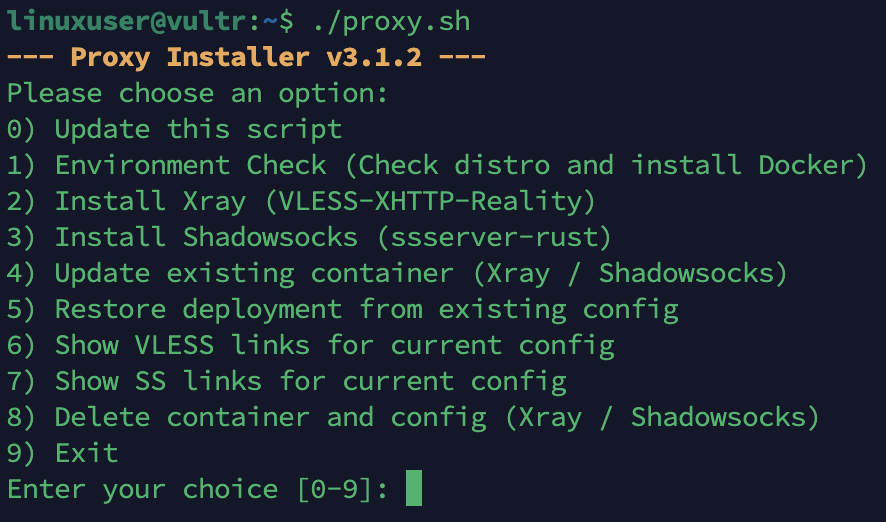
What are the differences, and which one should you choose?
Shadowsocks
It’s a lightweight, rock-solid, and fast proxy for general privacy or bypassing simple blocks without the overhead of complex protocols. I specifically chose SS-2022 as the protocol to enhance modern security, and it makes traffic appear as a random, featureless stream of unknown TCP/UDP bytes to an ISP or network administrator. Most ISPs and administrators wouldn’t care about this unknown traffic, and you can bypass their VPN restrictions. If you set the proxy port to a commonly used port, such as 443, you can further increase your chances of bypassing the restrictions.
Xray
But, if you live in China, Iran or Russia, or if your ISP restricts unknown traffic and only allows HTTPS/TLS connections (as is common when using Wi-Fi provided by a library or college), then you will need to choose Xray, which is a slightly more complicated but more powerful proxy tool. Don’t worry, I’ve made it as easy as possible to reduce the number of steps in the setup process in my script.
Xray provides several ways to bypass detection and restrictions using obfuscation. I specifically opted for the VLESS-XHTTP-REALITY method. The best part about it is that the only thing you need to prepare is a VPS or a remote Linux service that runs 24/7 with no network restrictions. No domain or certificates are needed, and you can “steal” another website’s domain to make it look like your traffic is connecting to that domain via HTTPS! In reality, however, your traffic is encrypted from your local machine to the VPS and then on to the target website or internet service that you want to visit. The only tricky part is that you have to find a website that can be visited directly from the local network without a proxy. That website also needs to meet some requirements. I have listed the details in my GitHub repository.
Little Hint
If you want to pursue ultimate proxy speed and camouflage, there is a technique revered in the Xray community as the “perfect answer”—borrowing a neighbor’s domain. Instead of using famous public domain names, you can follow these steps to tailor a domain specifically for your VPS:
- Open the website: bgp.tools
- Enter your VPS’s public IP in the search box and press Enter.
- Click the DNS tab, then check “Remove auto generated reverse DNS entries”.
- You will now see a large list of other domain names located in the same data center and subnet as your VPS.
- Select a few websites and run test scripts on your VPS directly.
Why bother?
Because these websites reside in the same data center—or even on the same rack cabling—as your VPS. When Xray’s core “borrows” its TLS certificate and handshake characteristics, latency is under 1 ms (blazing fast). Furthermore, from the perspective of the Network Administrator, the physical network routing of your VPS traffic matches that of the legitimate neighbor site, maximising camouflage.
Before entering the domain name into your proxy.sh script, make sure to avoid redirects: If you enter example.com and it automatically redirects to www.example.com or example.com/en/, make sure to put the final redirected full domain into your script.
Remember that the risks of hosting your own proxy server are the same as using a VPN from a commercial company — you are putting your trust in the VPS provider instead of your local ISP. This means that you have to trust the VPS provider not to sell your data to others, either intentionally or unintentionally.